
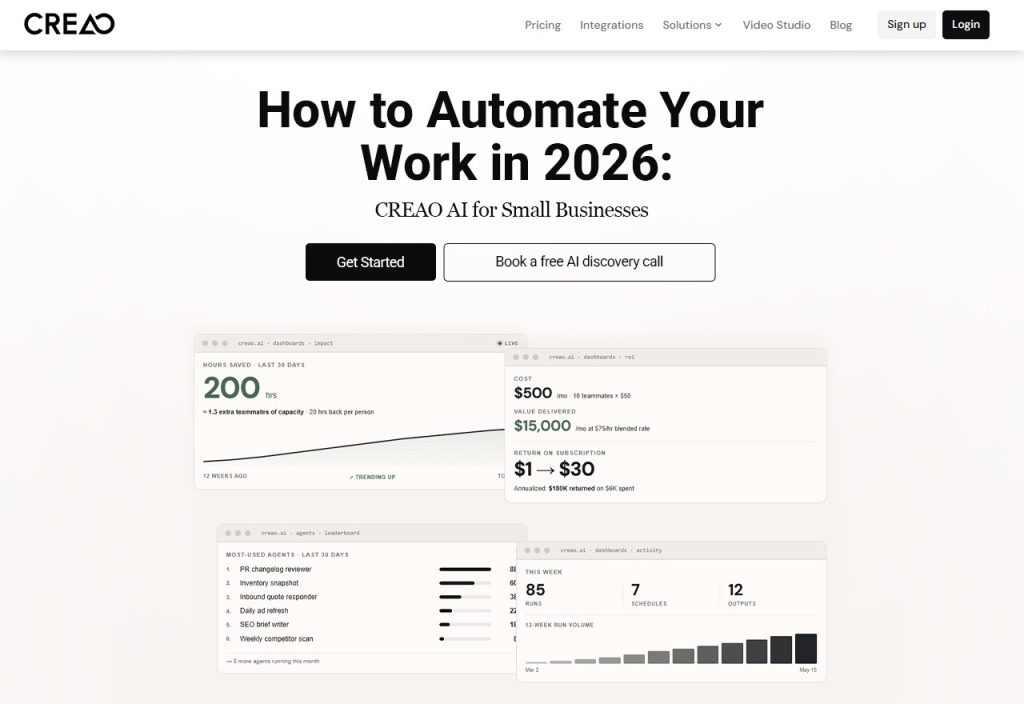
Running a small business is like wearing six hats before noon. The mundane tasks (emails, reports, follow-ups, social posts) quietly drain away the hours you'd prefer to spend growing. Enter CREAO AI. It allows you to build simple AI agents to perform those repetitive tasks for you (from content planning to weekly reports to daily admin). In this post, you will see how CREAO AI works and how it can help your business.
Why Small Businesses Need AI Automation in 2026
Manual work slows you down. When one person juggles email, reporting, content, and customer follow-ups, something always slips. Small business automation gives a small team room to breathe, so you can put your energy into the goals that actually matter.
The trick is picking tools that fit the way you already work. The best business productivity tools adapt to your routine, so you don't have to rebuild everything just to use them.
What Is CREAO AI and How Does It Work?
CREAO AI is a platform for building AI agents. You describe a task in plain language, set up the agent, and let it get on with the job. You can mix instructions, supported integrations, and recurring schedules, so the work runs without you babysitting it.
So how's that different from a regular chatbot? A chatbot answers questions when you ask. AI agents for business can actually do the task, repeat it on a schedule, and work inside your connected apps. It feels less like chatting and more like handing something off to a teammate, which is what AI workflow automation is all about.
How CREAO AI Helps Small Businesses Automate Work
Here's where it earns its keep in a normal working week.
- Automating Repetitive Administrative Tasks
Agents can organize information, write up summaries, and handle recurring admin. Think compiling weekly updates or sorting incoming requests- the jobs nobody enjoys but everyone needs done.
- Simplifying Content Creation and Marketing
Use agents to draft blog outlines, write social media posts, and organize your marketing ideas. Just read everything before you publish. Your judgment still matters here.
- Managing Reports and Business Information
Automated workflows can pull together supported information, summarize the results,s and prepare regular reports. You do less manual data wrangling, and that's AI business automation at its most practical.
- Connecting Business Tools and Workflows
Supported integrations let agents work with the apps you already use. Check that your tools are supported before you build anything. The CREAO AI features page is the best place to see what's available.
- Scheduling Recurring Tasks
Scheduled workflows can cover weekly reporting, content planning, and routine reminders. Set it up once, and it keeps showing up on time.
Key Benefits of CREAO AI for Small Businesses
Using CREAO AI for business automation can help individuals and teams work more efficiently by simplifying repetitive tasks, connecting business tools, and freeing up time for more important work.
- It saves time on repetitive work.
- It keeps your processes consistent.
- You don't have to rewrite instructions for tasks that come back every week.
- It works across compatible apps.
- Small teams can handle more without burning out.
- You can still review the important stuff and keep a human in charge.
How to Get Started With CREAO AI
It's easier than it sounds. Pick a repetitive task, set up an agent, connect your tools, and test it.
- Visit CREAO AI and have a look at the available plans.
- Pick one repetitive task that eats up your time.
- Describe the task and set up an agent.
- Connect the supported apps you need.
- Add a schedule or trigger, if available.
- Test it, review the output, ut and tweak the workflow.
Before you dive in, check the current plan limits and features so there are no surprises later.
Is CREAO AI Right for Your Small Business?
Marketing agencies, freelancers, online stores, and service providers will probably get the most out of it. That said, the value depends on how complex your tasks are, which integrations you need, and how much you'll use it.
That's why CREAO AI for small businesses works best when you start small. Pick one workflow, see how much time it saves, then decide what to automate next. Small business automation doesn't have to be a big project. Ready to give CREAO AI a go?
FAQs
- What is CREAO AI used for?
It's a platform for building AI agents and automating workflows. People use it for repetitive business tasks, content planning, sorting through information, and general productivity.
- How does CREAO AI help small businesses automate work?
You set up agents for specific tasks and workflows. Depending on your setup and the features available, they can handle recurring jobs, organize information, and cut down on manual work.
- Can CREAO AI automate repetitive business tasks?
Yes, that's what it's built for. You can try agents for things like preparing reports, sorting requests, and helping with recurring marketing tasks.
- Does CREAO AI require coding skills?
You build agents by describing the task and configuring the setup. How much technical know-how you need depends on how complex the workflow is and which integrations you use.
- Can CREAO AI connect with other business applications?
Yes, it supports integrations with compatible apps. Check the official features page to see what's currently available.

